
Twelve checks for a landing page: (1) HTTPS along the entire path (Chrome now asks for approval before opening HTTP sites, by default, according to SecurityWeek); (2) mobile speed; (3) message matching the ad; (4) value proposition visible without scrolling; (5) proof (reviews, cases, verifiable numbers); (6) price or range, where possible; (7) one main call to action; (8) short form, with qualifying questions; (9) visible contacts and address; (10) correct privacy policy and consent; (11) conversion tracking working; and (12) content and images you may use in advertising. The page is often the cheapest factor to improve.
Why the landing page is half the ad
The ad buys the click; the page decides whether the click becomes a customer. Doubling budget with a weak page is paying more for visits that don’t convert. Improving conversion rate from 2% to 3% equals having 50% more customers with the same spend. So, before raising budget, improve the page.
It’s also where the ad’s promise is verified.
1 to 3: security, speed and consistency
1) HTTPS: SecurityWeek reported, on 21 October 2026, that Chrome asks for approval before connecting to HTTP sites, by default for everyone; test all final URLs and redirects. 2) Speed: test on mobile with average connection; light images, no unnecessary scripts. 3) Consistency: the page headline repeats the ad’s promise; whoever clicks “urgent plumber” sees “urgent plumber”.
Mismatches between ad and page waste paid clicks.
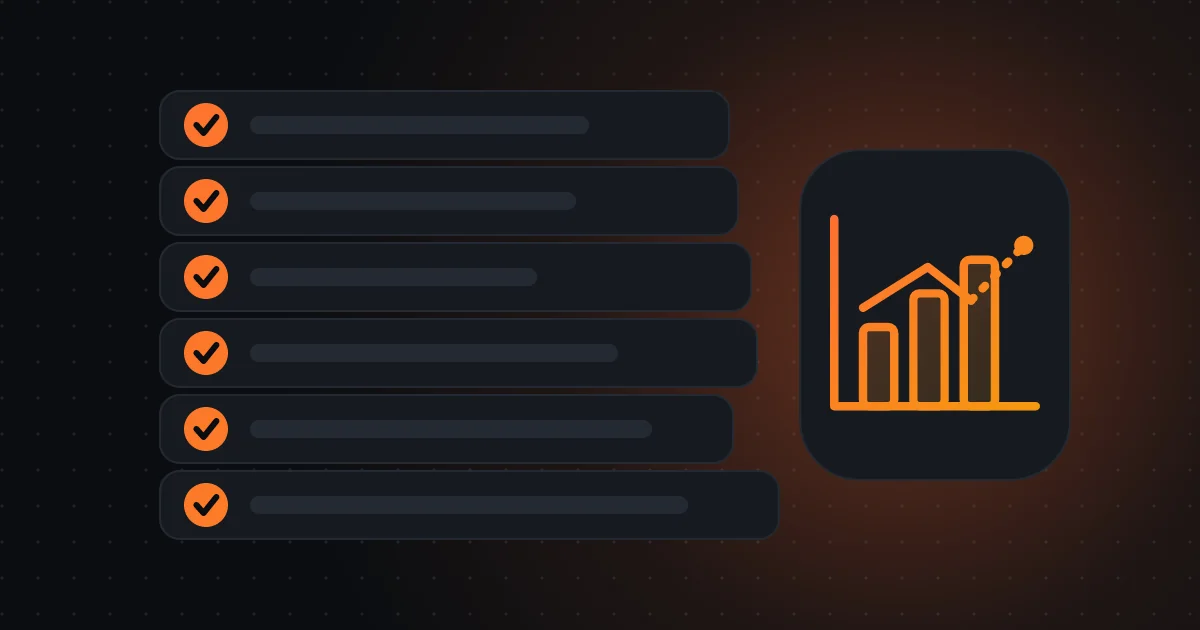
Landing page: 12 checks in 6 groups
- HTTPS, speed and consistency with the ad
- Value proposition, proof and price
- Single call to action and short form
- Contacts and company identification
- Privacy, consent and measurement
- Content and images with rights
4 to 6: value proposition, proof and price
4) Value proposition on the first screen, without scrolling: what you offer, to whom, with what benefit. 5) Proof: real reviews, cases, verifiable numbers, client logos with authorisation, certifications. 6) Price or range, where possible; hiding price scares off serious visitors and attracts browsers. If you can’t state a price, explain what it depends on.
Avoid unproven superlatives (“the best”, “number 1”).
7 and 8: call to action and form
7) One main call to action, clear and repeated (“Request a quote”, “Book appointment”, “Buy”). 8) Short form: ask only what’s necessary, with qualifying questions (area, timeline, approximate budget). Google Ads now lets you mark form answers as qualifying, according to PPC News Feed, which helps pre-classify contacts. Show what happens next (“we’ll reply within 2 business hours”).
Each extra field reduces completion.
Improving the page before raising the budget is almost always the cheapest investment.
9 and 10: trust, privacy and consent
9) Contacts, address and the company’s legal name visible. 10) Clear privacy policy, cookie banner with equivalent accept and refuse options, and Consent Mode configured, so Google tags respect consent (ad_user_data, ad_personalization), according to Search Engine Journal. Consent itself is a GDPR obligation; Consent Mode only signals it.
Pages without clear identification look fraudulent and may be flagged.
11 and 12: measurement and rights
11) Conversion tracking works: do a real test (fill the form, call the number, buy) and confirm it appears in platforms and the CRM. 12) Text, images and videos you can use in advertising, with rights and consent of people; Performance Max image extraction, on by default in new campaigns on 4 December, according to PPC News Feed, uses your page’s images.
A clean page serves all channels.
How to test the page without fooling yourself
Change one thing at a time (headline, proof, form), with enough traffic and time for a full conversion cycle. Compare conversion rate and lead quality, not just completion. If traffic is small, test big, obvious changes instead of details.
A session recording or heatmap tool, used with consent, shows where people drop off.
Summary in three lines
The landing page decides whether the click pays off. Check HTTPS, speed, consistency with the ad, proof, short form, consent and measurement. It’s often the cheapest factor to improve before raising budget.
Questions for your manager
When was the last landing page review? What conversion rate do they have? Did we test all URLs on HTTPS and on mobile? Does the form qualify? Is consent well configured? Which page tests are planned?
If you want to review your landing pages with this twelve-point list and a test plan, I can help prioritise fixes.
An illustrative page review example
An aesthetics clinic reviews the landing page of a treatment and finds three problems: an old redirect passes through HTTP, the form asks for 11 fields and the page shows no starting price. It fixes all three: direct HTTPS, a form with 4 fields (name, phone, treatment, best time) and a “from” price. The example is hypothetical. Within four weeks, request rate rises from 3% to 4.5% with the same budget.
Three simple fixes were worth more than months of bidding tweaks.
Frequently asked questions
Why does the page matter so much?
Because it decides whether the paid click becomes a customer. Improving conversion from 2% to 3% equals having 50% more customers with the same spend.
What changed in Chrome?
It asks for approval before connecting to HTTP sites, by default, according to SecurityWeek. Ensure HTTPS along the whole path.
Should I show the price?
When possible, yes or a range; hiding price scares off serious visitors and attracts browsers. If you can’t, explain what it depends on.
Sources consulted
Keep reading
- Offline conversions: a practical guide for an SME to connect the CRM and real sales to Google and Meta, with GDPR
- Meta Pixel and Conversions API in an SME: what to have configured when Meta uses less data in the EU and Safari 27 changes measurement
- Demand Gen with campaign type attribution in beta: what changes in measurement, requirements and how to read results